ARWELL
ARWell: AR Fitness Game Redesign
Product Designer | 9 months | Impact: 23% increase in user engagement
01
Problem
02
Design Approach
03
Key Design Solutions
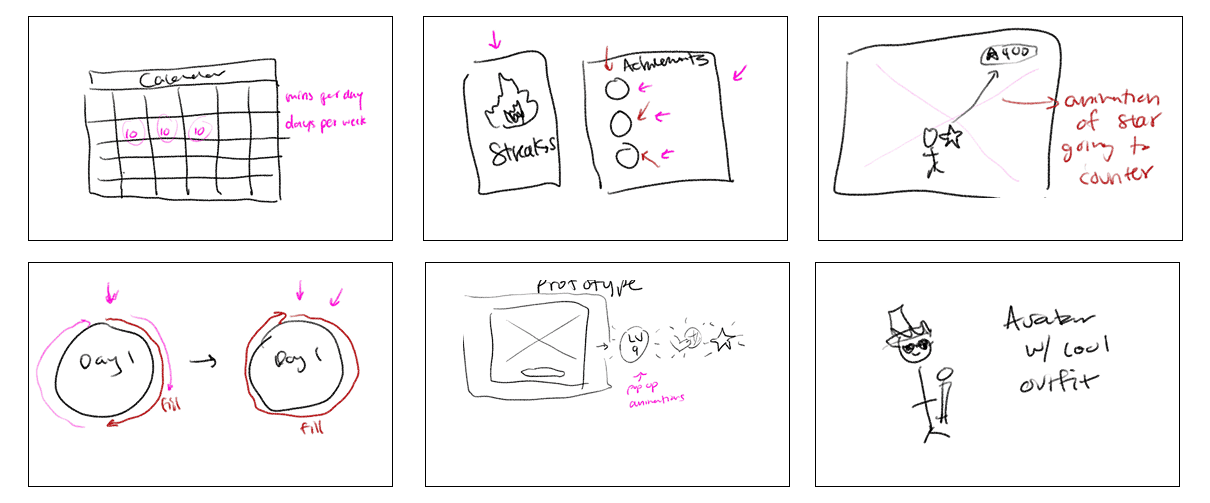
Goal Setting Interface

Goal Setting: Scroll to set your weekly workout target.
Real-Time Progress: A circular indicator fills up as you complete workouts.
Instant Feedback: Always see where you stand with your fitness goal.
Visual Motivation: The circle syncs with your goal, creating a satisfying completion loop.
Achievement System

Clear Separation: Earned and in-progress badges are now in distinct sections.
Badge Details: Each badge includes a name and description.
Meaningful Milestones: See exactly how you earned each badge.
Goal-Oriented Design: Know what to do to unlock the next badge.
Reward Store Redesign

Full-Screen Store: Browse avatar items in a spacious, immersive layout.
Purchase Protection: Confirmation popups prevent accidental spending.
Clear Organization: Owned items are separated from ones available to buy.
Easy Styling: Quickly find and use what you already own for your avatar.
Transition & Results Screens

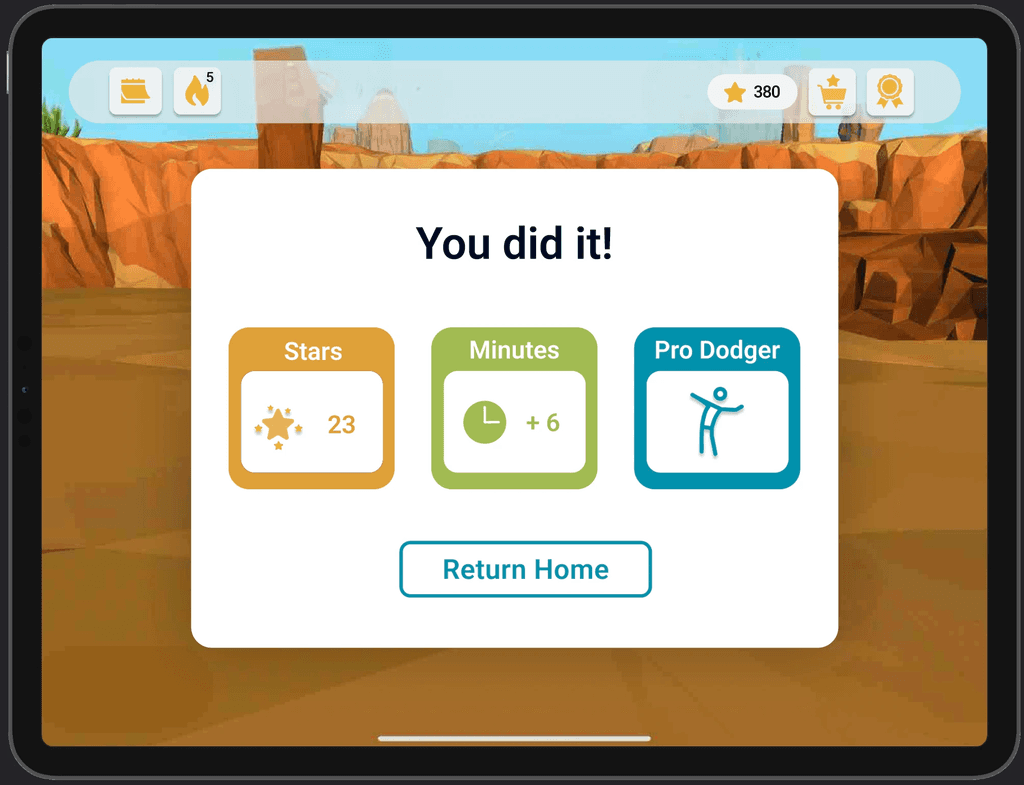
Full-Screen Transitions: Clear explanations of what's next with a countdown bar to pause and prepare.
Motivating Results: See stars earned, minutes active, and a highlight of your best workout.
Focus on Progress: Emphasizes achievements, not just numbers.
Seamless Flow: Smooth transitions keep energy up between games.
04
Design System
Visual Language
Colors: Light Green (
#C6DD80), Teal (#78CBD3), Coral (#F05C4A), Light goldenrod(#F5C069)Typography: Raleway for headings, Roboto for body text
Spacing: Consistent padding and margins for clean layouts
Visual Style: Friendly, accessible design for all ages
Interaction Patterns
Goal Setting: Scroll + Confirm → Users scroll to select a goal, then tap "OK" to confirm.
Results: Auto Reveal after Delay → Results screen appears with a brief delay post-workout.
Reward Store: Tap to Select + Confirm → Tap an item to view, then confirm to purchase.
Badges: Tap to Collect → Users tap to actively claim earned badges.
05
Design Challenges
Icon Recognition Solution
Problem: Users couldn't identify functional entry points.
Design Process: Created 12 icon variations, tested visual metaphors, applied consistent 2px stroke weight
Result: Recognition improved from 33% to 91%
Multi-Age Visual Language
Problem: Appeal to both kids and parents without being childish
Design Strategy: Playful but sophisticated color palette, clean typography, friendly rounded corners
Result: 34% reduction in task abandonment across age groups
AR Interface Adaptation
Problem: 2D patterns don't work in 3D AR space
Spatial Design: Z-axis layering, gesture zone mapping, depth-based focus states
Result: 40% increase in session length with improved spatial interactions
06
Design Impact
Interface Performance
Icon Recognition
33% ➝ 91%
+58%
Task completion
67% → 89%
+22%
Feature discovery
23% → 78%
+55%
07
Engagement Through Design
Session duration
+40% through satisfying micro-animations
Avatar customization
67% adoption through visual appeal
Return
usage
+38% with celebration-focused results
Learnings
01
Visual Hierarchy Mastery
Learned to guide attention through systematic use of size, color, contrast, and spacing rather than instructional text.
02
Micro-interaction Design
03
Design System Thinking
04
Spatial Interface Design
Design Outcome: Redesigned passive fitness tracking into a habit-forming experience through purposeful interaction design—boosting session time, feature adoption, and return use.